Building a Dynamic RSS Feed From a Database in Next.js
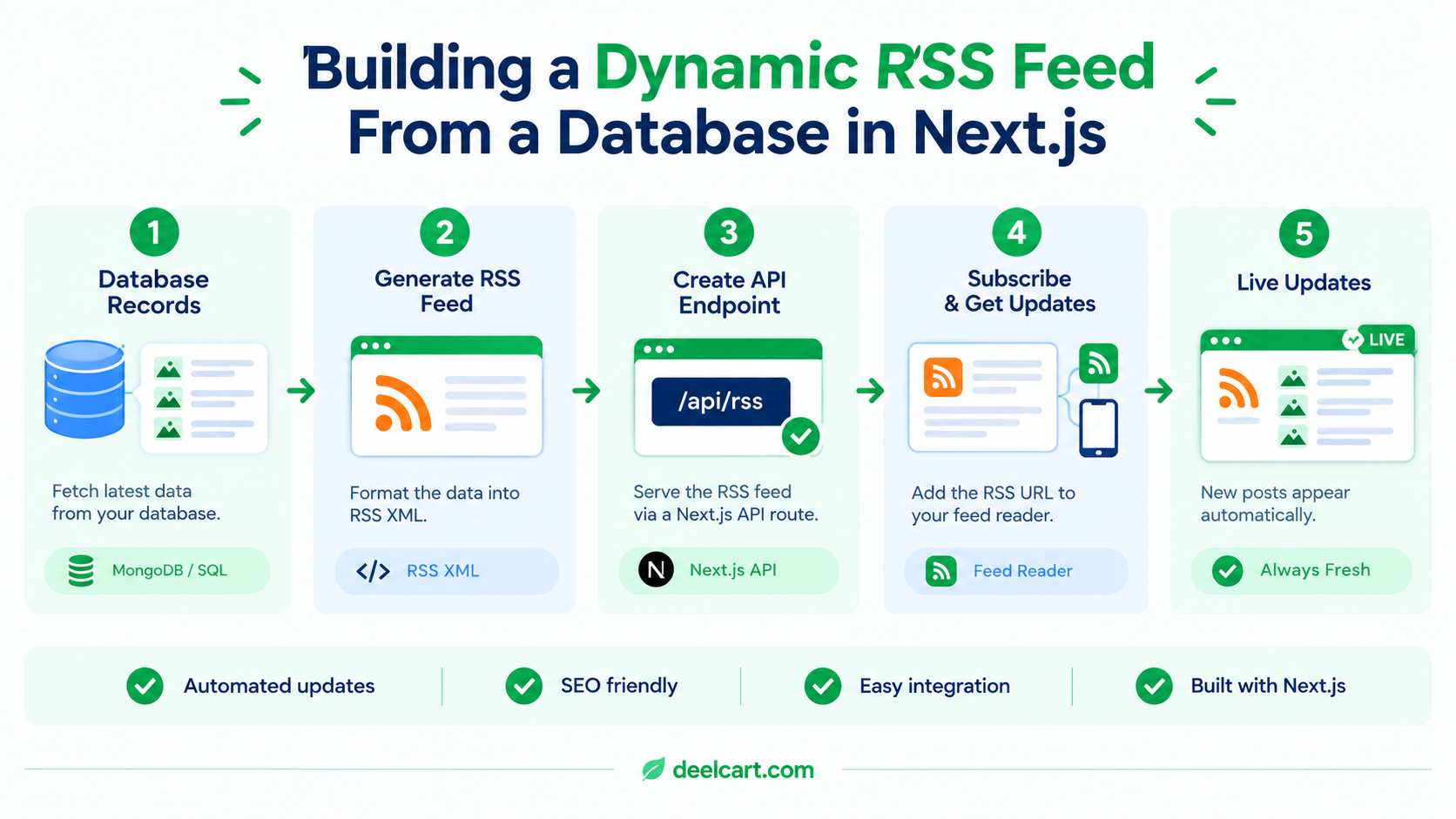
Why This Bug Is Easy to Introduce
RSS feeds are usually written once, early on, and then left alone — they don't have a UI, nobody visits the URL in a browser during normal use, and they don't show up in day-to-day testing the way a webpage does. If the underlying content model changes later (a new content type gets added, an old one gets renamed, a site pivots what it primarily publishes) it's entirely possible for the feed's query to keep pointing at the old thing, silently, for a long time.
The failure mode is quiet specifically because it doesn't throw an error. A feed that queries the wrong collection just returns fewer or zero items, or items from something no longer relevant — it's syntactically valid the whole time, so nothing in a normal error-monitoring setup flags it.
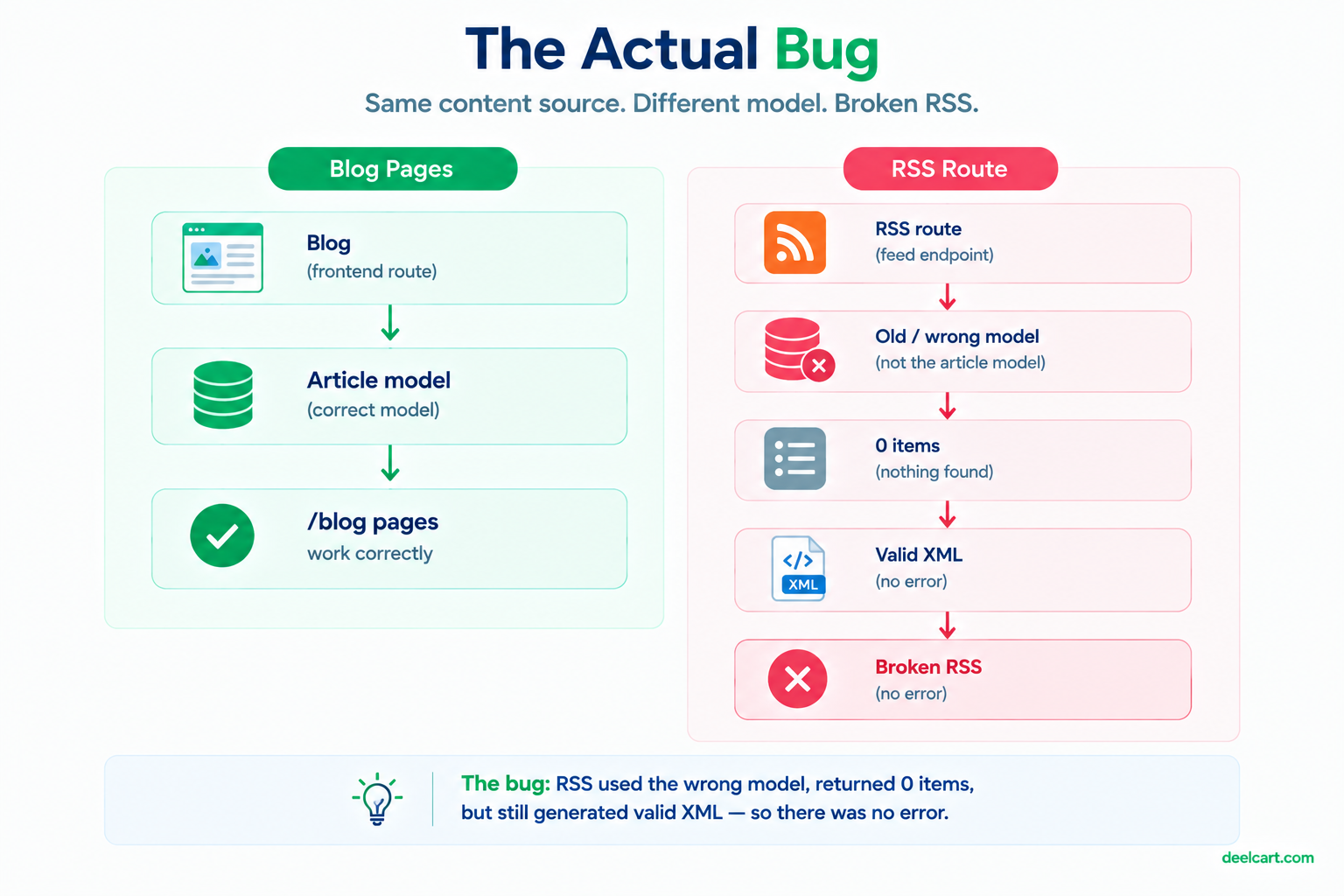
The Route: Query Whatever Model Actually Powers Your Content
In a Next.js app, a route handler under app/api/rss/route.ts is the natural place for this. The core of it is straightforward: connect to the database, pull recently published items from whatever model is the actual source of truth, and format them as RSS XML.
// app/api/rss/route.ts
import { dbConnect } from '@/lib/db';
import Article from '@/models/article';

export async function GET() {
  await dbConnect();

  const articles = await Article.find({ status: 'published' })
    .sort({ publishedAt: -1 })
    .limit(20)
    .lean();

  const items = articles
    .map((a: any) => {
      const url = `https://example.com/blog/${a.slug}`;
      return `
      <item>
        <title><![CDATA[${a.title}]]></title>
        <link>${url}</link>
        <guid isPermaLink="true">${url}</guid>
        <description><![CDATA[${a.excerpt ?? ''}]]></description>
        <pubDate>${new Date(a.publishedAt).toUTCString()}</pubDate>
      </item>`;
    })
    .join('');

  const rss = `<?xml version="1.0" encoding="UTF-8"?>
<rss version="2.0">
  <channel>
    <title>Example Blog</title>
    <link>https://example.com/blog</link>
    <description>Latest posts</description>
    ${items}
  </channel>
</rss>`;

  return new Response(rss, {
    headers: { 'Content-Type': 'application/rss+xml' },
  });
}
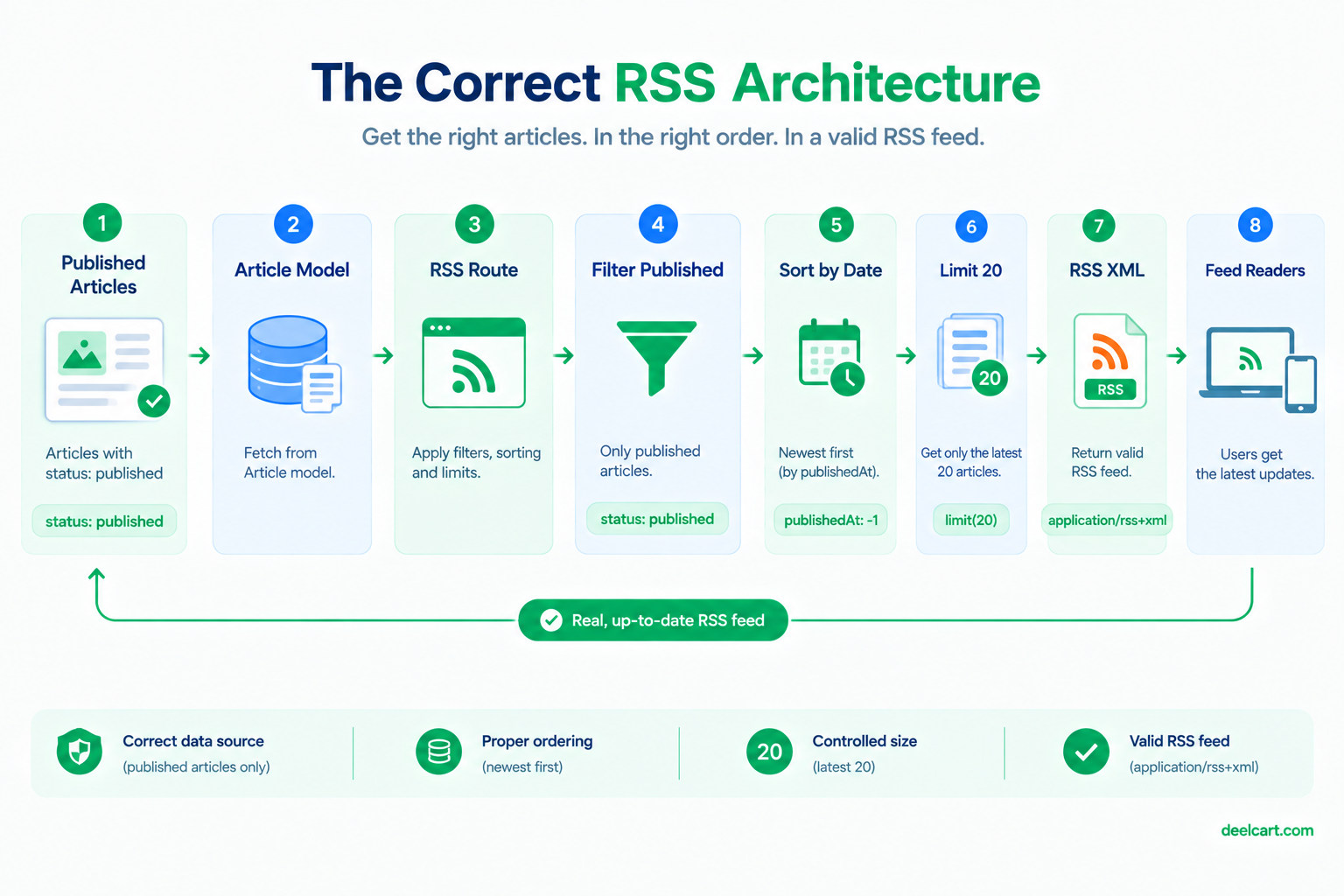
A few details in here matter more than they look:
status: 'published' — without this filter, drafts leak into the public feed the moment they're saved, before you're ready for anyone to see them.
CDATA wrapping on title and description — article titles and excerpts often contain characters (ampersands, angle brackets from any embedded formatting) that are invalid in raw XML text content. Wrapping them in CDATA sections sidesteps having to hand-escape every field individually, and is far more robust than assuming your content will never contain a stray & or <.
isPermaLink="true" on the guid — this tells feed readers the guid is itself a dereferenceable URL, which is true here since it matches the article's actual link. If you ever generate a guid that isn't a real URL (a database ID, for instance), this should be "false" instead — getting this wrong doesn't break most readers, but it's technically incorrect and worth doing right.
A sort and a limit — an RSS feed is meant to represent recent activity, not your entire archive. Sorting by publish date descending and capping the count keeps the feed a reasonable size and keeps it actually representing "what's new."
Set the Content-Type Header Explicitly
Returning application/rss+xml rather than the default text/html or application/json matters for how feed readers and crawlers interpret the response. Some clients are lenient and will sniff the content regardless, but plenty aren't, and there's no reason to rely on leniency when setting the correct header costs nothing.
Caching: Don't Regenerate on Every Single Request
The version above queries the database on every request to the endpoint, which is fine for most sites given RSS feeds tend to get polled infrequently by a relatively small number of feed readers rather than hit at page-view volume. If your feed does get polled heavily, adding a short cache window is a simple win:
export const revalidate = 300; // 5 minutesPlaced at the top of the route file, this tells Next.js to cache the response for five minutes rather than hitting the database on every single request — a reasonable middle ground between "always perfectly fresh" and "not hammering the database for a feed that doesn't need per-second accuracy."
Testing It Actually Works
The specific failure that prompted this — a feed quietly querying the wrong model — is exactly the kind of thing that's invisible unless you actually look at the output. A feed returning valid, well-formed XML that happens to be empty or wrong looks identical to a healthy feed at a glance. Two checks worth doing after building or changing one:
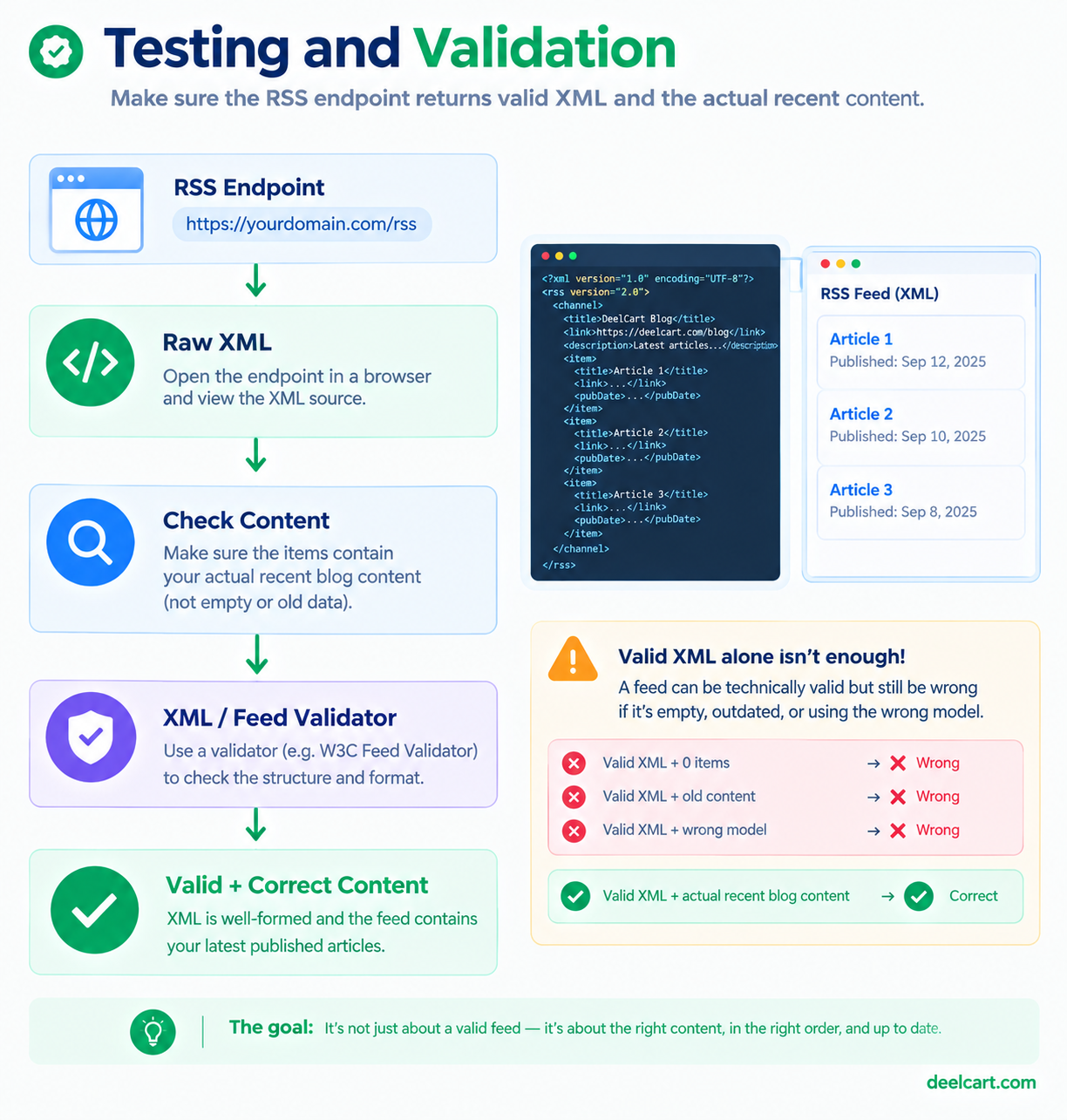
- Open the raw endpoint directly in a browser and actually read the
<item>entries, don't just confirm it loads without an error - Validate the XML structure with a feed validator rather than assuming it's correct because it renders
Frequently Asked Questions
Does RSS still matter if my audience mostly finds content through search or social media?
RSS traffic is genuinely a small slice of most sites' total audience today. It still serves real purposes beyond direct readership though: some search engines and content aggregators consume RSS feeds as a discovery signal, and any dedicated readers who do use a feed reader tend to be a highly engaged audience worth not ignoring.
Should the feed include full article content or just an excerpt?
Either is valid — full content lets readers consume the entire piece inside their feed reader, an excerpt drives them back to your site. There's no universally correct choice; it depends on whether you'd rather optimize for reader convenience or for site visits.
How do I know if my feed is actually broken like this without noticing?
Open the raw feed URL periodically and check that the items match your actual recent content. There's no shortcut around this — a syntactically valid but semantically wrong feed won't surface itself through normal error monitoring, since nothing about it technically fails.
Is JSON Feed worth supporting alongside RSS?
JSON Feed is a simpler, JSON-based alternative to RSS/Atom that some newer feed readers support. It's not essential, but if you're already building the query logic to pull recent published content, outputting it in JSON Feed format alongside RSS is a small additional step rather than a separate project.
Justin is a self-taught developer who builds and runs DeelCart himself — from the articles to the server it runs on. He manages his own Linux infrastructure and writes guides based on tools and workflows he actually uses day to day.